

Wireless Keyboard and Mouse Set – Bluetooth 5.0 & 2.4G Mini Keyboard Mouse Combo for Laptop, PC & Tablet


Wireless Keyboard and Mouse Set – Bluetooth 5.0 & 2.4G Mini Keyboard Mouse Combo for Laptop, PC & Tablet
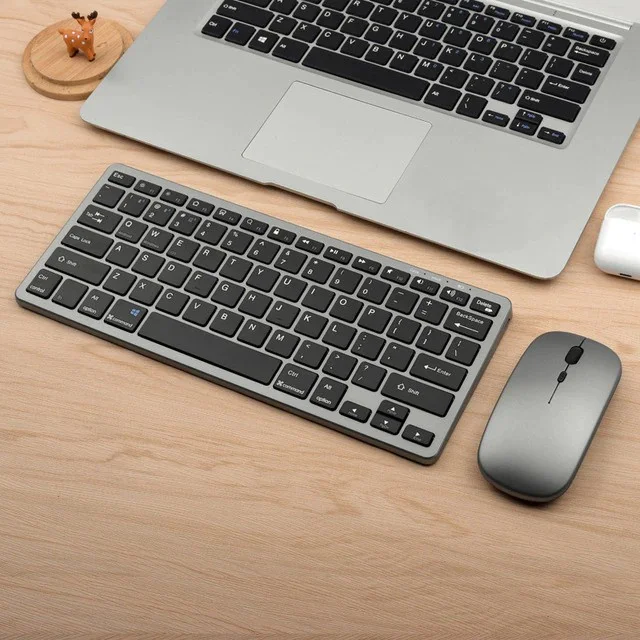
Work, study, and browse more comfortably with this Wireless Keyboard and Mouse Set. Designed for desktop, laptop, tablet, and everyday office use, this compact keyboard and mouse combo helps keep your workspace clean, simple, and cable-free.
With Bluetooth 5.0 and 2.4G wireless connection, you can enjoy flexible use with different devices. The mini keyboard layout is lightweight and space-saving, making it perfect for small desks, travel, school, home office, and daily computer work.
The included wireless mouse gives you smooth control for browsing, editing documents, studying, working, or relaxing at home. Whether you use it with a laptop, PC, tablet, or desktop setup, this combo is a practical upgrade for your daily productivity.
Free Shipping Available – enjoy convenient delivery with no extra shipping cost at checkout.
Why Customers Will Love It
Wireless Keyboard & Mouse Combo
Get both a keyboard and mouse in one simple set for work, study, and daily use.
Bluetooth 5.0 & 2.4G Connection
Flexible connection options for laptops, desktops, tablets, and compatible devices.
Compact Mini Keyboard Design
Space-saving layout helps keep your desk clean and organized.
Comfortable Everyday Typing
Great for emails, documents, schoolwork, office tasks, and casual browsing.
Portable & Lightweight
Easy to carry for travel, school, office, home, or remote work.
Battery Included
Ready for convenient daily use without complicated setup.
Perfect For
Home office, school, online study, laptop work, desktop setup, tablet use, office desk, travel, remote work, browsing, writing, and everyday productivity.
Product Details
- Product Type: Wireless keyboard and mouse set
- Connection: Bluetooth 5.0 / 2.4G wireless USB
- Keyboard Standard: 61 keys
- Interface: Bluetooth / USB
- Layout Language: English
- Battery Included: Yes
- Compatible With: Desktop, laptop, tablet, PC
- Style: Mini, ergonomic, portable
- Package: Keyboard and mouse combo
- Shipping: Free Shipping Available
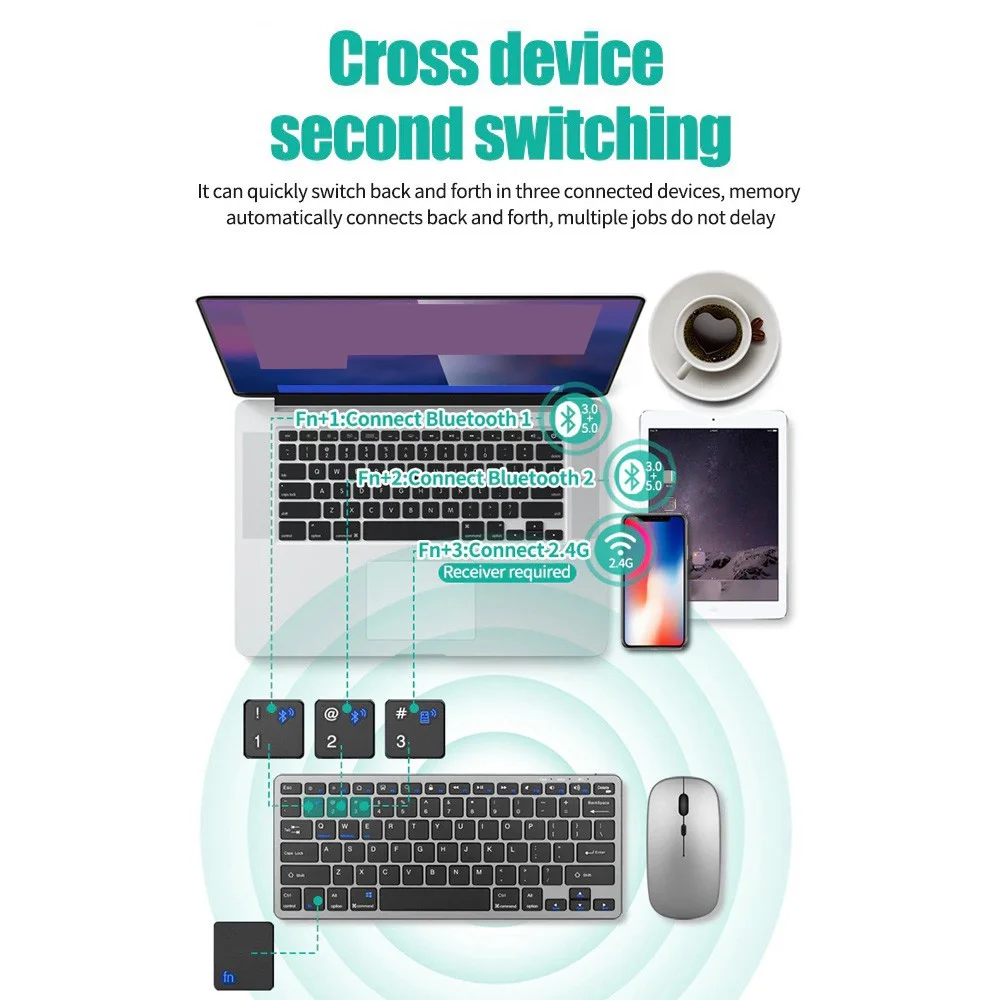
Cross device second switching
It can quickly switch back and forth in three connected devices, memoryautomatically connects back and forth, multiple jobs do not delay
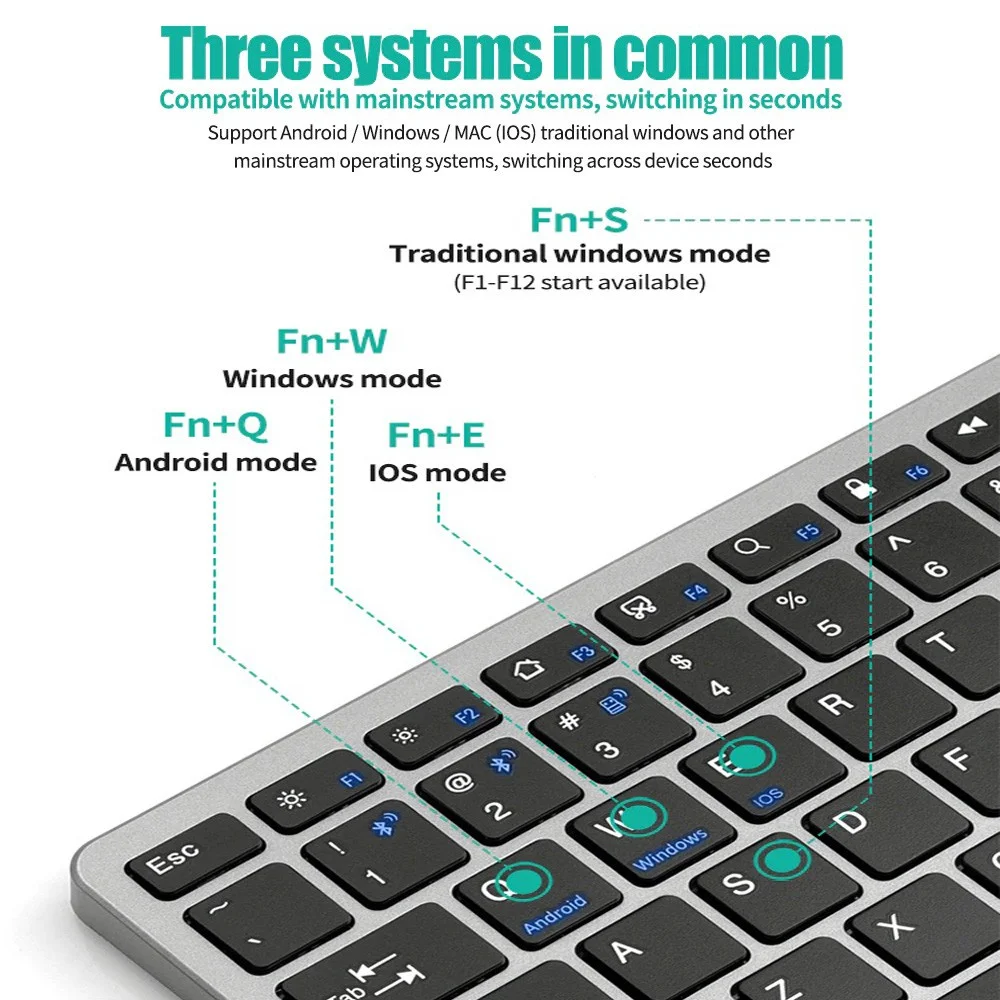
Three systems in common
Compatible with mainstream systems, switching in seconds
Support Android /Windows/MAC(IOS)traditional windows and othermainstream operating systems, switching across device seconds
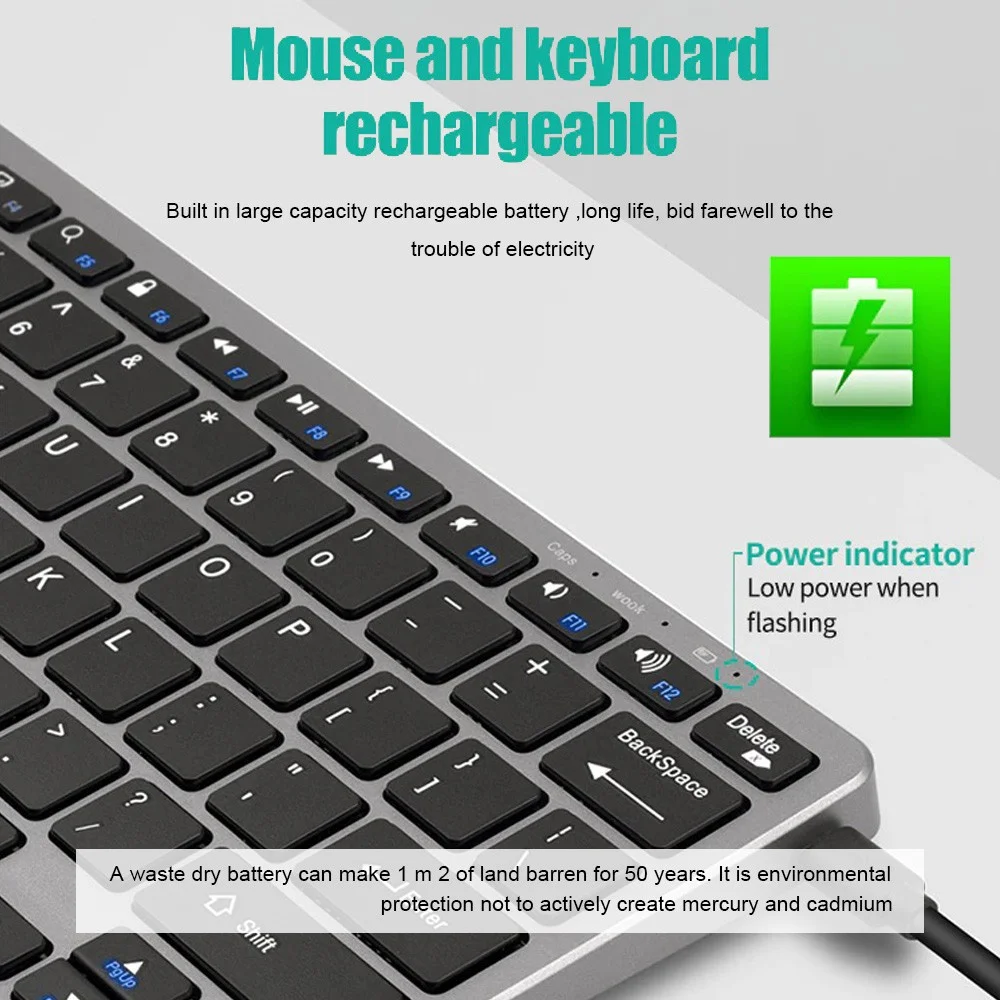
Mouse and keyboard rechargeable
Built in large capacity rechargeable battery ,long life, bid farewell to thetrouble of electricity
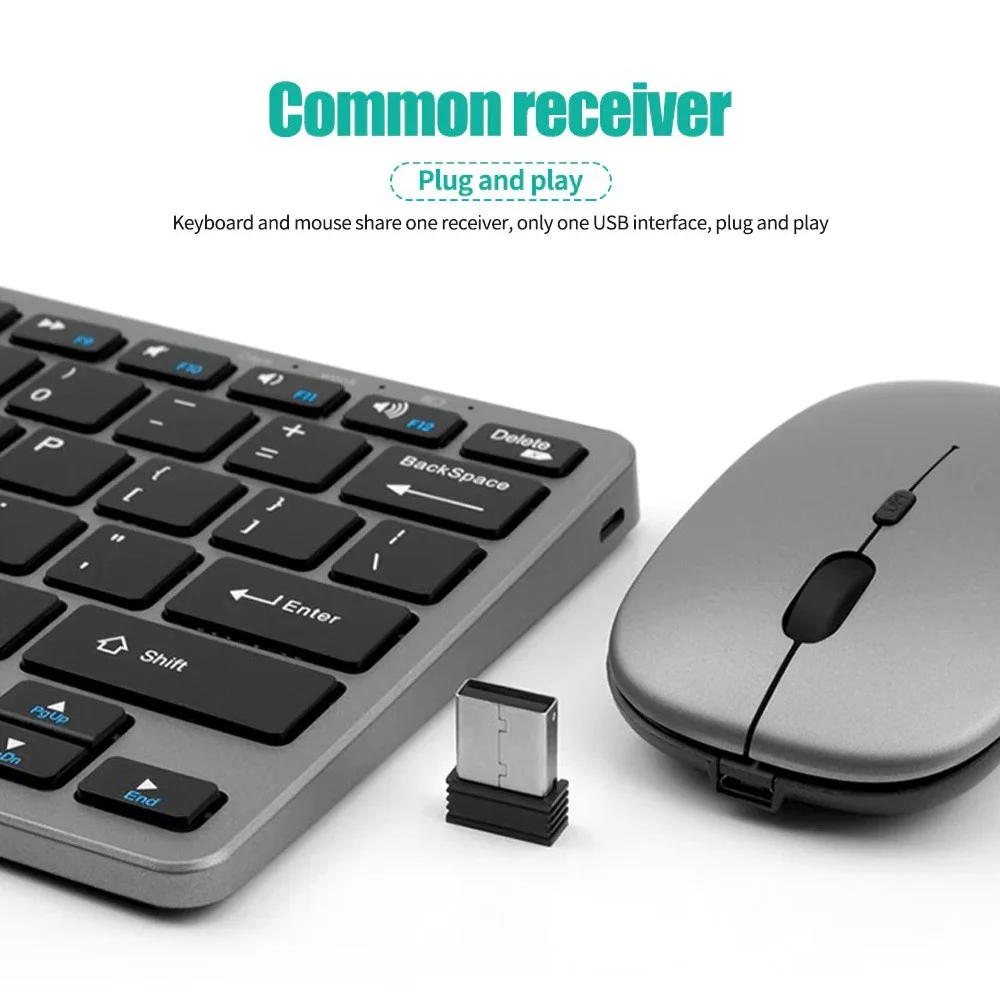
Common receiver(Plug and play)
Keyboard and mouse share one receiver, only one USB interface, plug and play
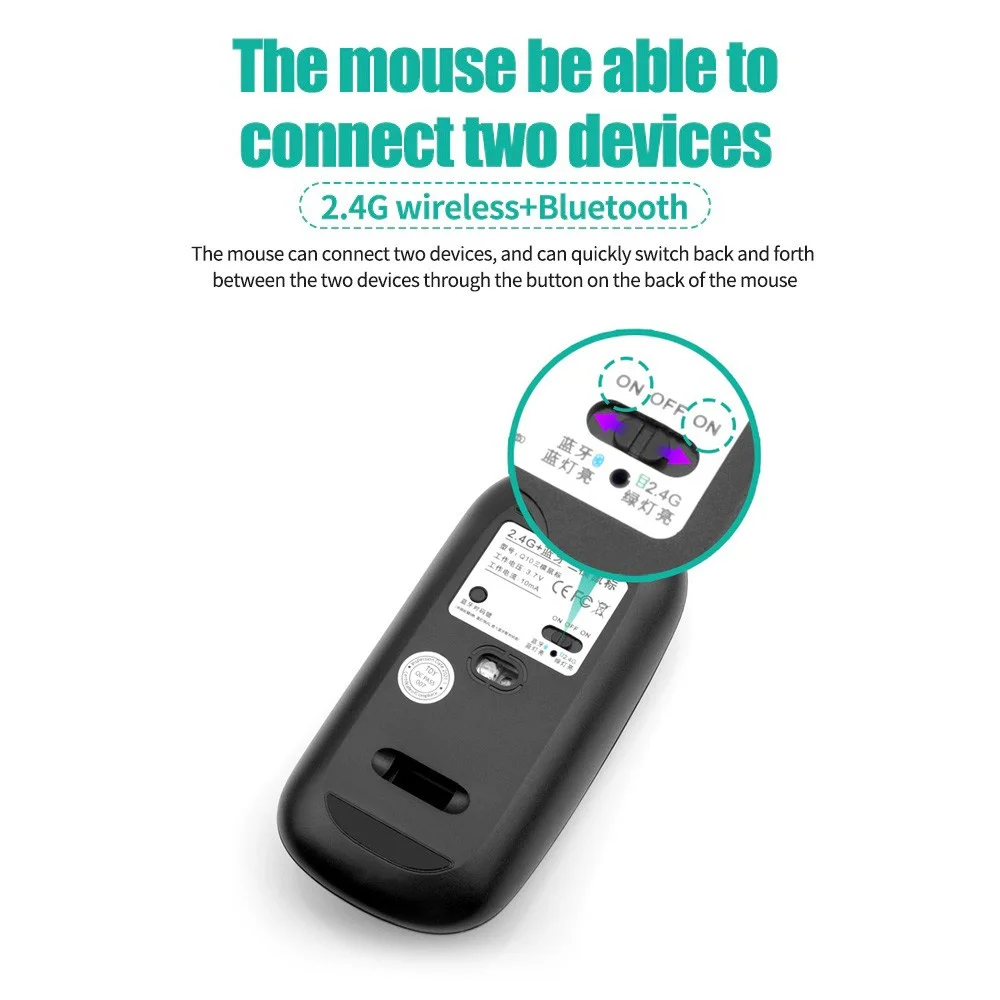
The mouse be able to connect two devices(2.4G wireless+Bluetooth)
The mouse can connect two devices, and can quickly switch back and forth between the two devices through the button on the back ofthe mouse
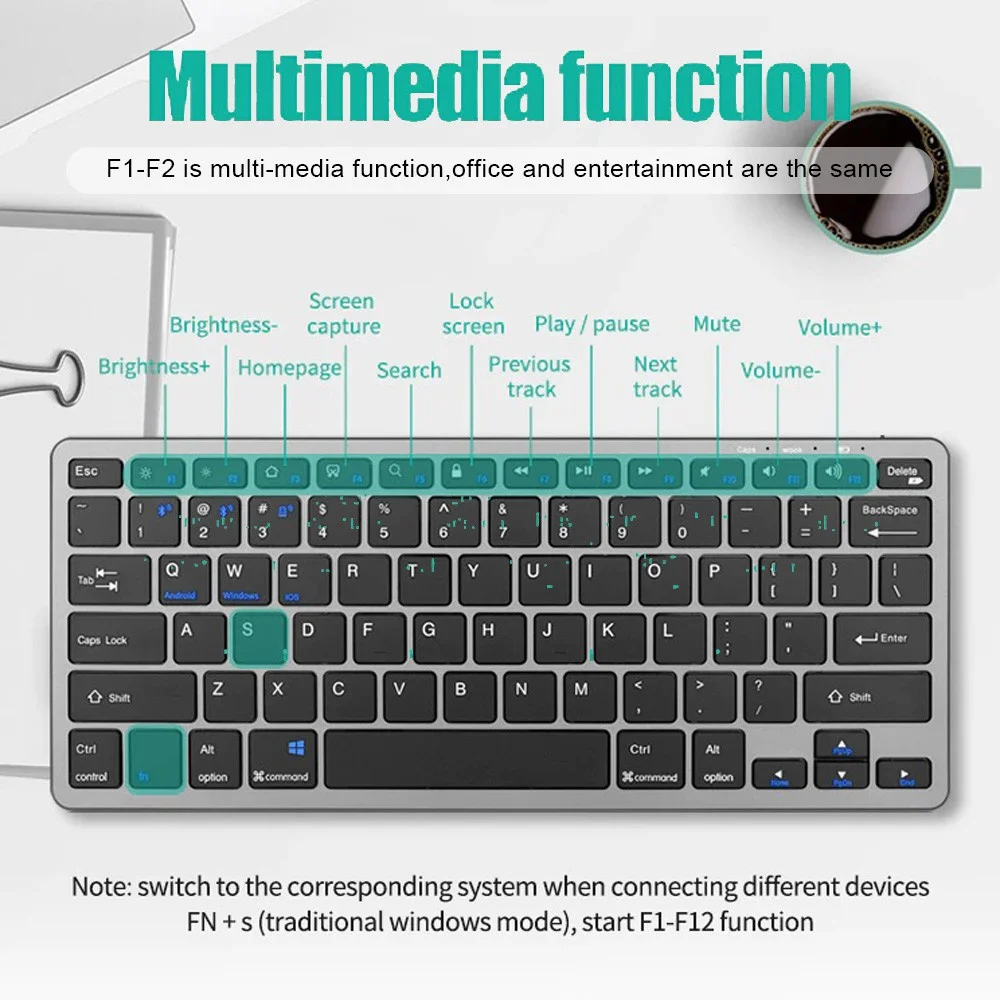
Multimedia functior
F1-F2 is multi-media function,office and entertainment are the same
Note: switch to the corresponding system when connecting different devicesFN +s(traditional windows mode),start F1-F12 function
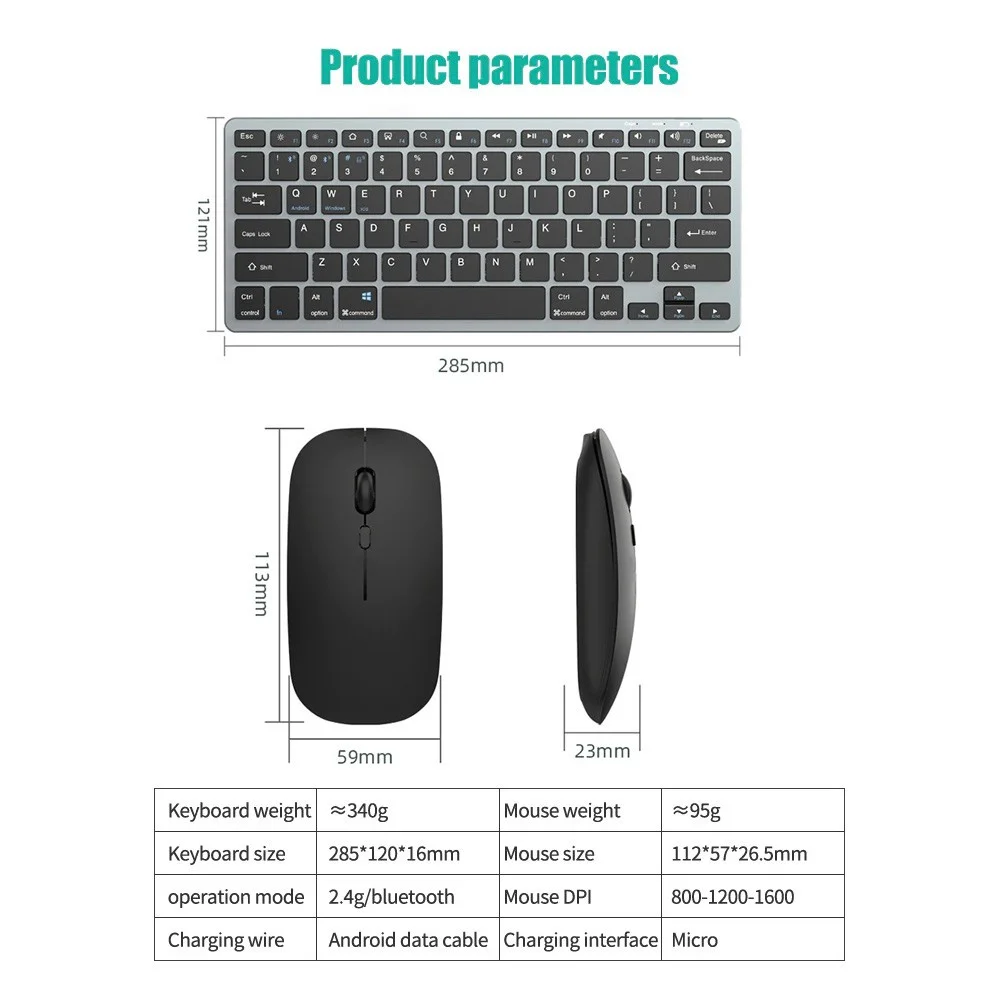
Product parameters
1. 2.4G connection
First plug the receiver into the computer USB port, turn on the mouse switch and set it to 2.4G, the light will flash for about 1 second, it will automatically connect, then turn on the keyboard switch and turn it to the ON position, the connection is successful about 1 second after the light flashes, if the light does not flash Just unplug the receiver and plug it in again. When not in use, you can directly turn off the keyboard and mouse without dialing out the receiver and turn it on automatically next time;
2. Bluetooth connection
Turn on the device's Bluetooth, turn on the mouse to the Bluetooth icon position, use Bluetooth to search for the name and connect directly, turn the keyboard switch to the ON position, press FN+1 or FN+2 for about one second, the light will stop after flashing, and it will be searched by Bluetooth direct connection. Note: Because this product supports Bluetooth 3.0 and 5.2 dual versions, there will be two Bluetooth hotspots in the Bluetooth search, no matter which one can be connected to use, version 3.0 only supports devices with lower Bluetooth version, version 5.2 supports Bluetooth 4.0 and above ios version 13 and above devices.
How to connect:
Press FN+C open the keyboard bluetooth function (Red light will flash) , then open the bluetooth of the laptop or tablet to connect
System support:
For Android: Press"FN+Q"
For Windows: Press"FN+W"
For IOS: Press"FN+E"
Multi-device connection:
1.FN+1: Connect to Bluetooth device 1
2. FN+2: Connect to Bluetooth device 2
3.FN+3: connect to usb, 2.4G wireless reception
4. FN+1,2,3 combination single press: you can switch paired devices
5. FN+1,2, press and hold the combination for 3 seconds: flashing light, you can start the searched state (connecting to a new device)
Note
This keyboard does not include Bluetooth adapter. If your device does not have Bluetooth, you will need to purchase an additional Bluetooth adapter.
The keyboard will automatically go into power savings mode after 10 minutes of inactivity. Press any key and wait 2-3 seconds to wake the keyboard.
There is no Escape key for Mac-book
The auto-correct feature on Pads is disabled when keyboard is in use.